Every Seat Its Own Sound, Without Pulling the Family Apart
In a car full of family, everyone is listening to something different: a movie on a tablet in one seat, a phone call over Bluetooth in another, and navigation prompts cutting into the music. Harman Kardon built an in-car audio technology that gives every seat its own sound zone. In a three-month project with Harman Kardon, our team of four designed how a family would actually manage those zones. The hard part was that the same technology pulls in three directions at once: everyone’s own space against a family that wants to be together, parents who want a say against children who want privacy, and a driver who is in charge but has to keep their eyes on the road.
Impact
Led the design, from the concept to the driver’s dashboard
I created the visual language, designed every screen on the driver’s dashboard, and mentored a novice designer through the passenger side.
Drove the ethical conversation about privacy and control
I pushed the team to ask how far one family member should reach into another’s zone. It shaped the permission model: monitoring capped at 10 seconds, a volume limit instead of a mute, and no one changing another person’s zone without them knowing.
What happens when a family shares one car?
Sound zones had barely been designed for cars yet, so we started from related experiences, such as Spotify group sessions, in-flight entertainment and silent discos, and from what families value on the road. Our users are family travelers: parents and children who share one car and take trips together.
What families value in the car
Four values came up in the research, and they pull against each other: autonomy and privacy against the family’s well-being, parents’ wish for a say against children’s privacy, and all of them against safety. These are the tensions BobaZone had to hold.
- Well-beingFamily members like different things, and arguments over the music are an age-old part of any road trip. Keeping the car harmonious matters for every passenger’s mental and emotional well-being.
- AutonomyFreedom and control are frequent sources of stress and conflict in families. Children of all ages want some independence.
- SafetyNoise, questions, arguments and demands: family travel brings many distractions, and while driving, each one is a risk to everyone in the car.
- PrivacyPeople often use their car, or their media, as an escape. In a closed space like a car, each person needs a way to enjoy their own media without being interrupted.
What the families told us
We interviewed three families, parents with a 16-year-old and a 2-year-old, a mom with 8-year-old twins, and a mom with two daughters, 5 and 11, to learn what actually happens around audio when a family shares one car. Four scenes came up again and again.
- Every request goes through the driverThe controls sit up front, so the kids ask, or yell, for every song change and volume tweak, and the driver becomes the family DJ while driving.
The radio controls are on the center console, so my daughters can’t use them.
My kids will yell at me to change the volume while I’m driving.
- One car, many tastesOn long drives, parents put on a podcast while each child wants their own show. Families take turns, or everyone retreats into their own device.
During longer trips, my husband and I prefer listening to TED talks and podcasts while our kids listen to their own media.
We will take turns choosing music; my older daughter will choose a song, I will choose a song, and then my younger daughter will choose a song.
- Parents want a say in what kids hearParents of younger children are fine with media in the car, as long as they have some control over it.
I don’t want my kids to use media without any kind of parental control.
I’m comfortable with my children using media in the vehicle if there is some kind of parental control.
- The car is also where families talkCar time is family time. Families don’t always want to be apart, which is the opposite of what sound zones offer.
I think that children need interaction with people, not phones.
We get so distracted during our daily lives that car time is good for conversation.
What the design has to do
- R1Every passenger controls their own zone, from their own seat
- R2Passengers can share what they’re hearing, and listen together
- R3Parents can set limits on what children hear
- R4The driver never has to manage anyone else’s audio, and nothing asks for more than a glance
- R5Each person’s zone is their own: nothing changes in it without them knowing
Two concepts, one system
With these requirements, we ran two rounds of Crazy 8’s, the second one sitting in a car, to work out where the controls should live: who reaches what, from which seat. Two ideas stood out.
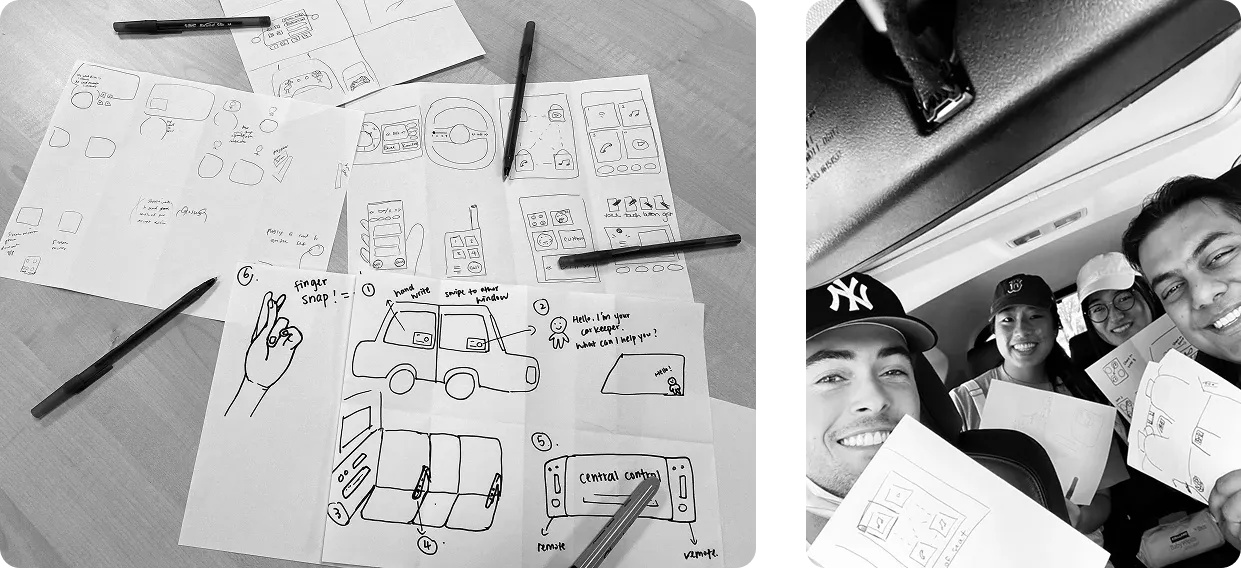
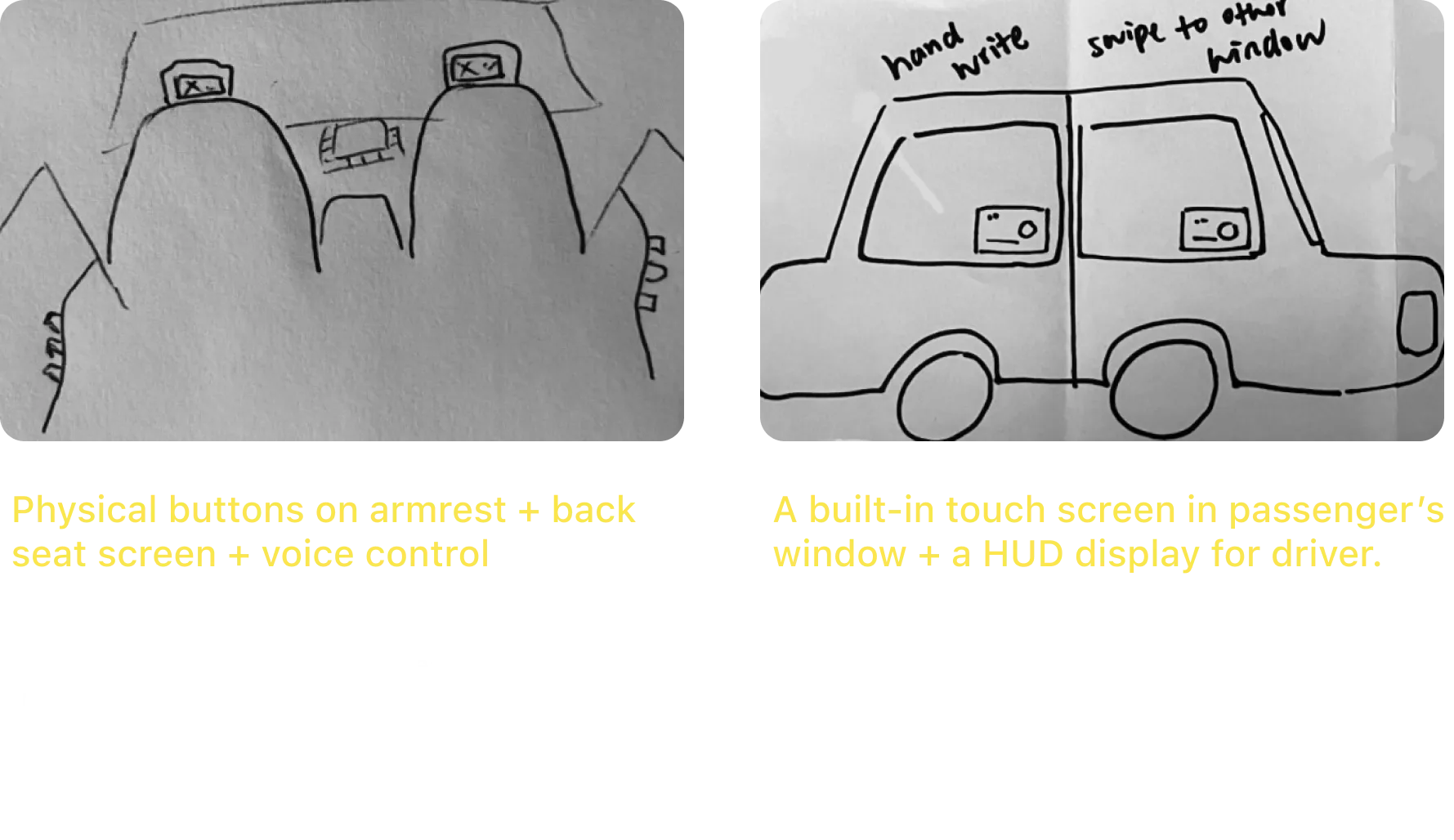
Arm’s Reach: back-seat passengers use physical buttons on the armrest to control a back-seat screen, and the driver and front passenger use the media console.
Wao Window: a touch screen built into each passenger’s window, and a head-up display for the driver.
We weighed the two with the team at Harman Kardon. Wao Window needed display technology that doesn’t exist yet, and stopped working the moment a window rolled down. Arm’s Reach had more potential, since it could be built today, but the back-seat screen was hard to see from where passengers sit.
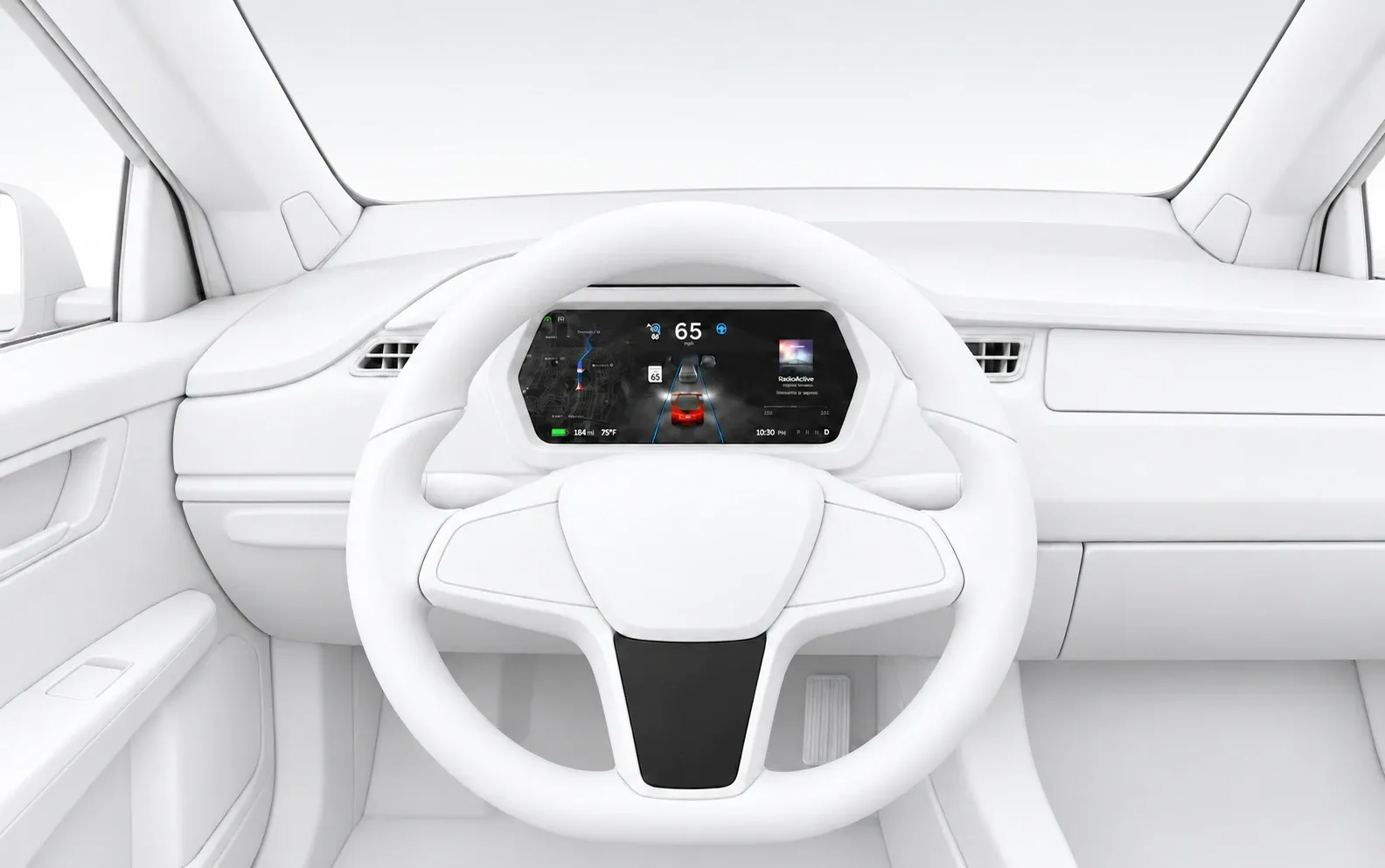
BobaZone keeps what worked in each. From Arm’s Reach, the armrest, with the screen moved onto it as a touch screen, where passengers can see it. From Wao Window, touch as the passengers’ main input, and the driver’s eyes kept forward: the display moves to the instrument cluster behind the wheel instead of a head-up display, and the controls move from the console to the steering wheel.
Each bubble shows one seat’s media. Our client found it pleasing, and easy to read in a car.
Passengers aren’t driving, and already use their phones this way. The driver gets buttons instead.
Moved from the seat back, where passengers struggled to see it, onto the armrest, where it’s within reach and still works with the window down.
Moved from the media console, so the driver’s hands stay on the wheel.
Controls on the center console distract drivers. The instrument panel keeps audio in their line of sight.
Tested on paper first
We made a paper prototype of the steering wheel and its screens, and tested it with the team, our client and our professors.
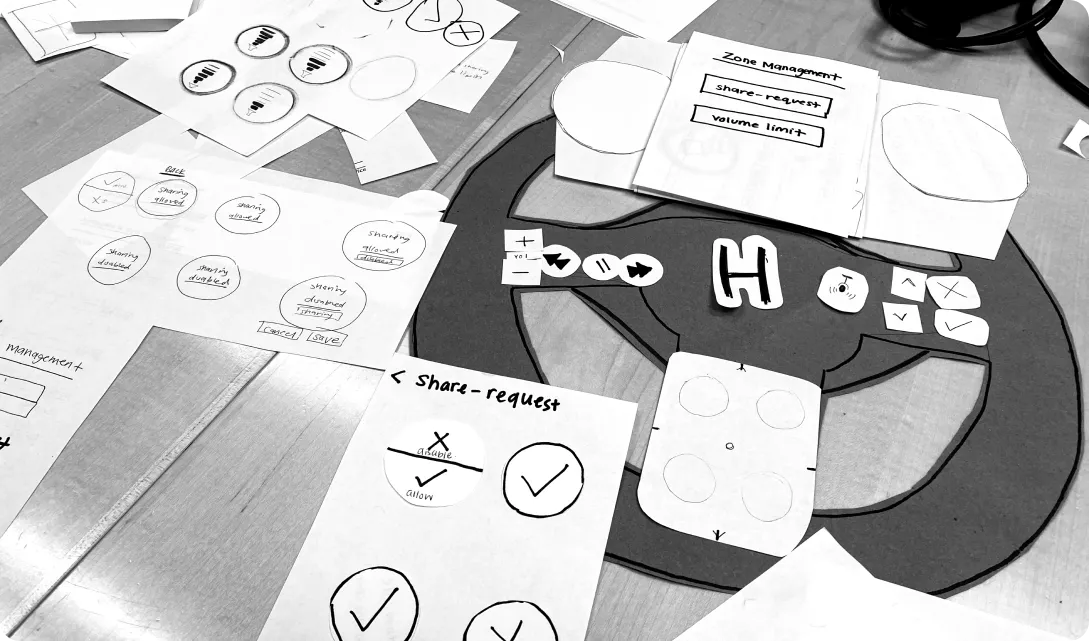
- Bubbles make senseUsers easily matched each bubble to a person and their sound zone.
- The trackpad is too smallIt can’t hold many gesture commands, and it can’t be felt, so the system misreads them.
- Children will test the limitsOur client and professors expected kids to misuse it, and families to swap seats, so admin control had to allow for both.
Who gets to control the sound?
The driver is responsible for everyone in the car, and in the families we met, the driver was a parent. So the driver is the permanent admin. But a driver who manages four zones isn’t watching the road, so the driver can hand admin control to another passenger, who can do everything below except override the driver. Each of these powers is a trade-off between what parents asked for and what we expected children to accept.
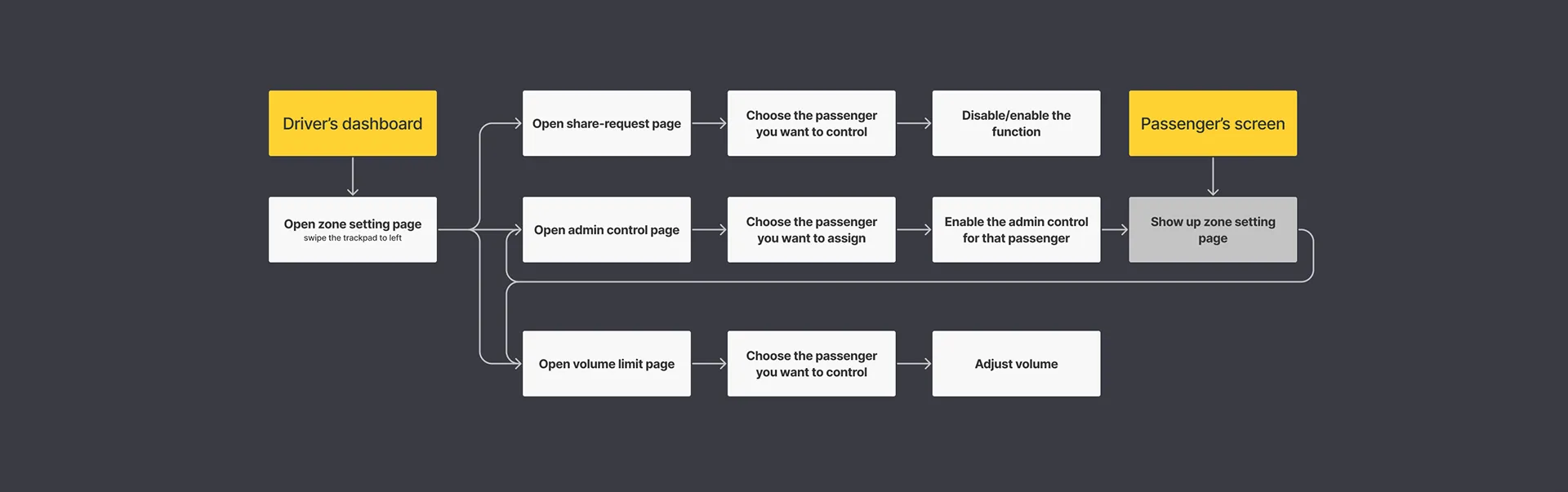
Audio monitoring, for 10 seconds only
Parents wanted to know what their kids were listening to. Listening in without limit would feel like surveillance, so the admin hears 10 seconds of another zone, and that’s all.
A volume limit, not a mute

Parents wanted to protect their children’s hearing. The admin sets a maximum volume for a zone; the child still chooses what to play and how loud, under that limit. It also keeps sound from carrying over into the next zone, a limit of the technology itself.
Share-request that can be switched off
Families told us the car is for talking, the very opposite of what sound zones offer. So we wanted coming back together to be as easy as going apart: sharing a zone would take one move on the trackpad. It turned out to be the hardest task in testing. But a child can also send requests over and over. The admin can turn off share-request for one zone, instead of taking it away from everyone.
Controls the driver can use without looking
The trackpad at the bottom of the wheel has four quadrants, one for each seat, with a ridged circle in each that the thumb can feel. Because the paper test showed it was too small for many gestures, we kept them to four: drag between zones to share or request, swipe down for the menu, and swipe sideways to change page.
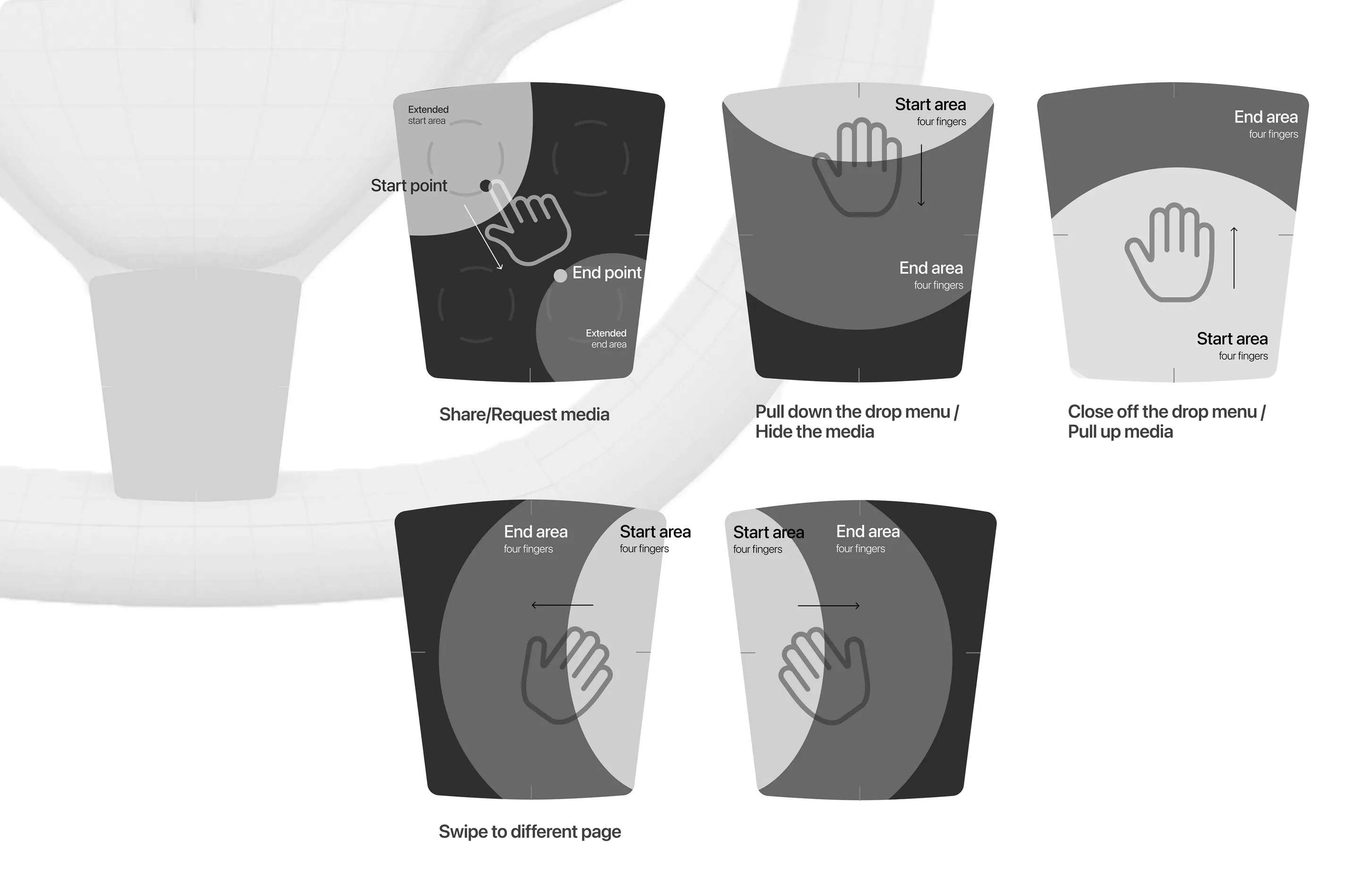
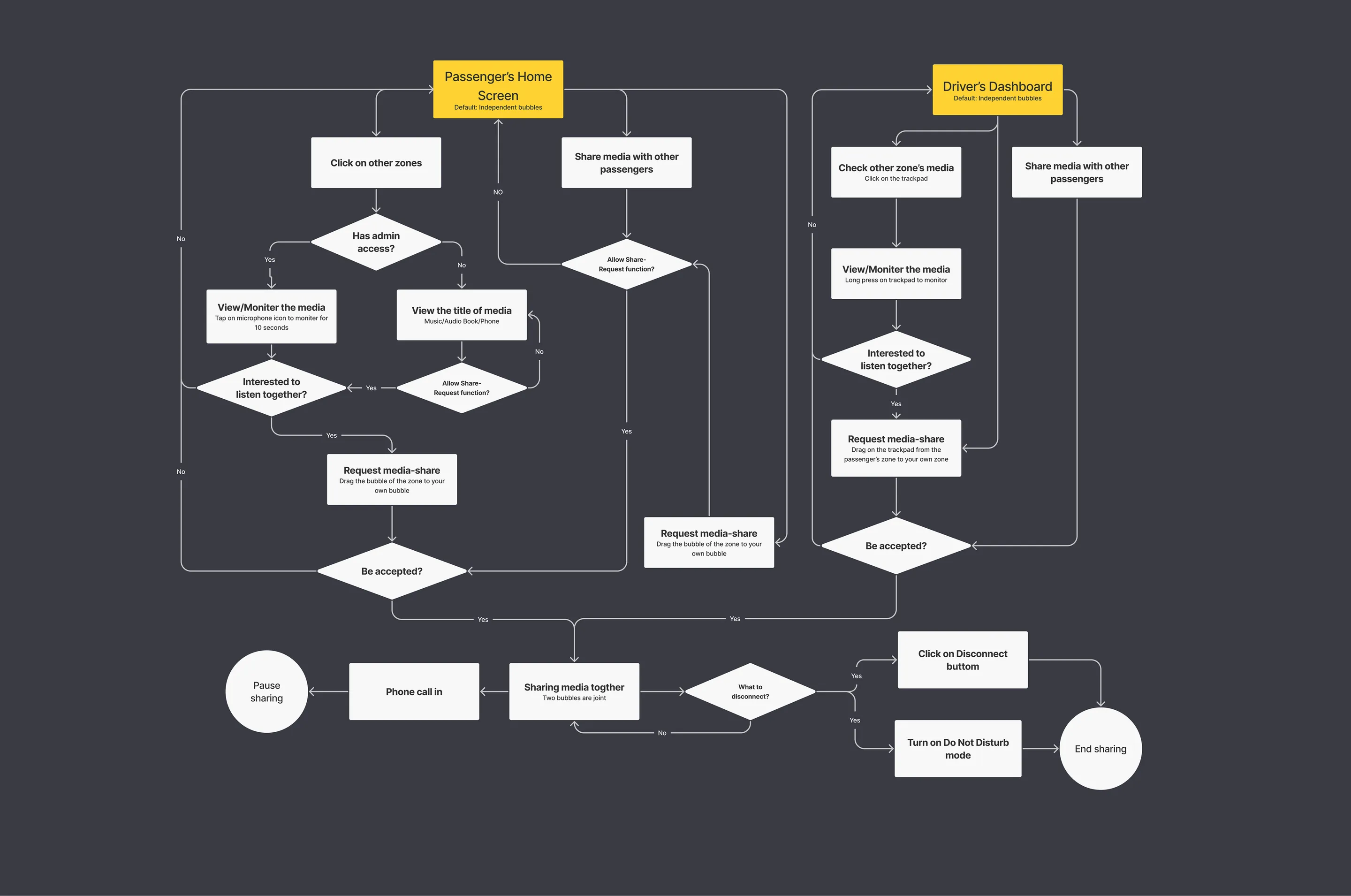

The prototype we tested
Steering wheel: button clusters, a trackpad and a voice button
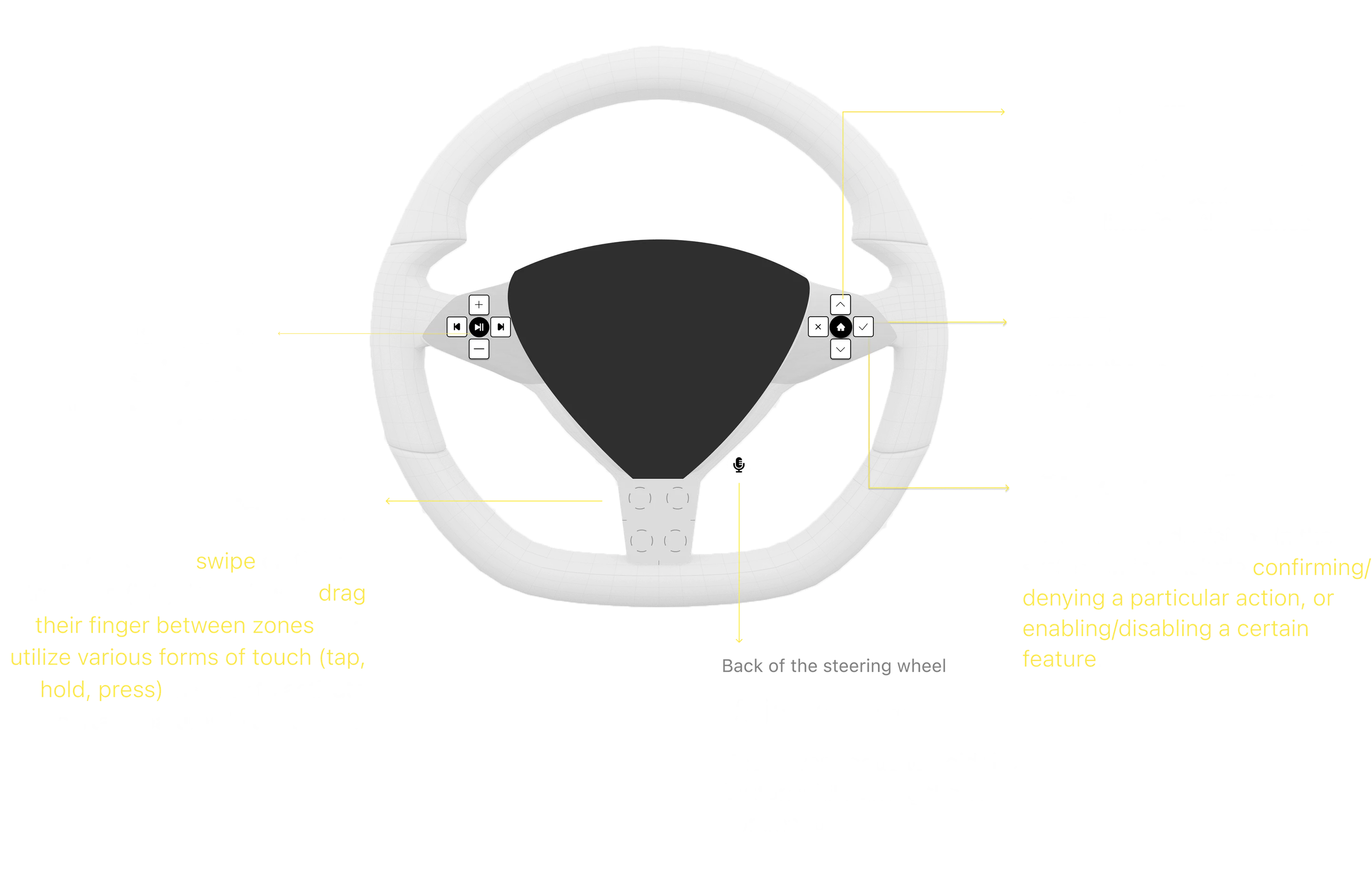
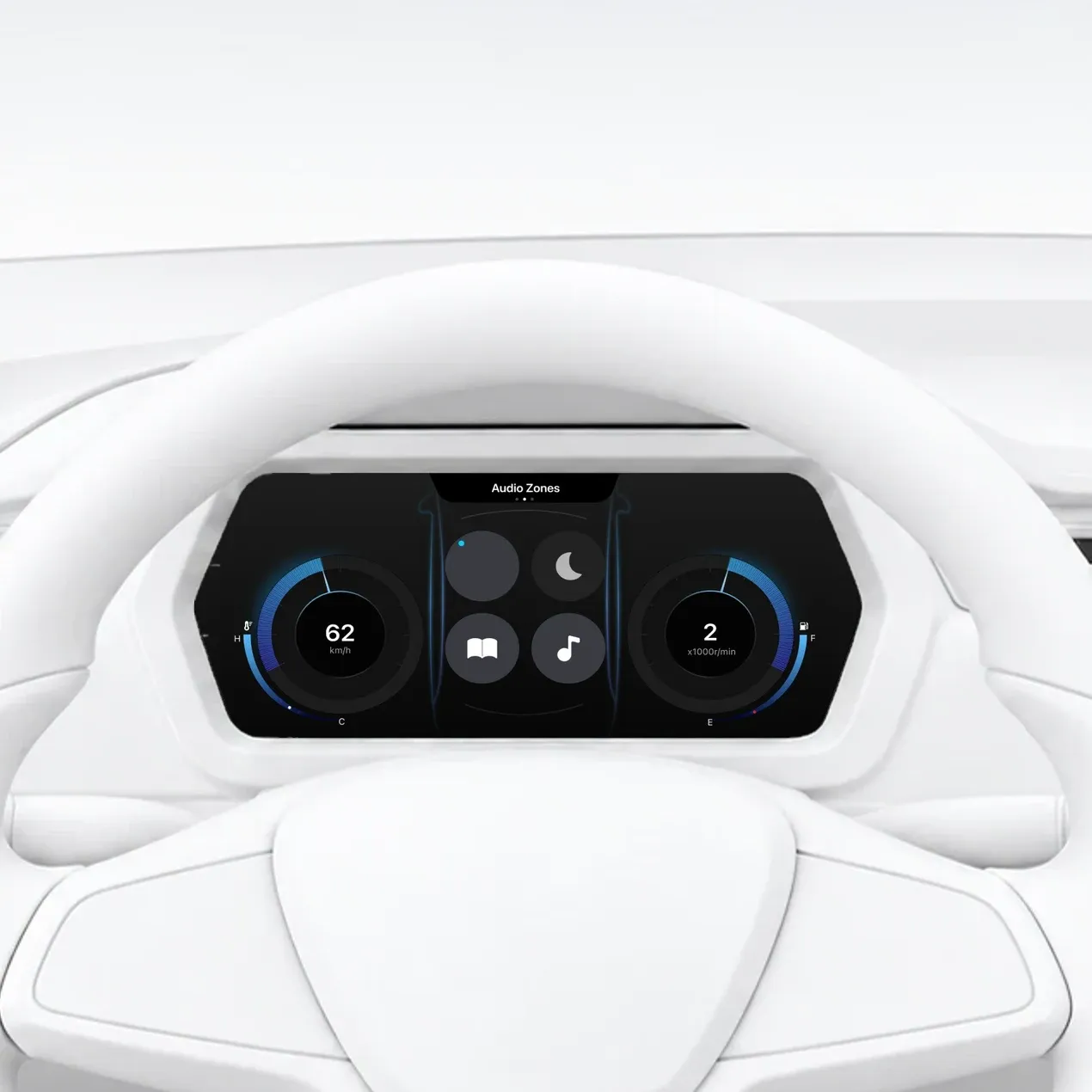
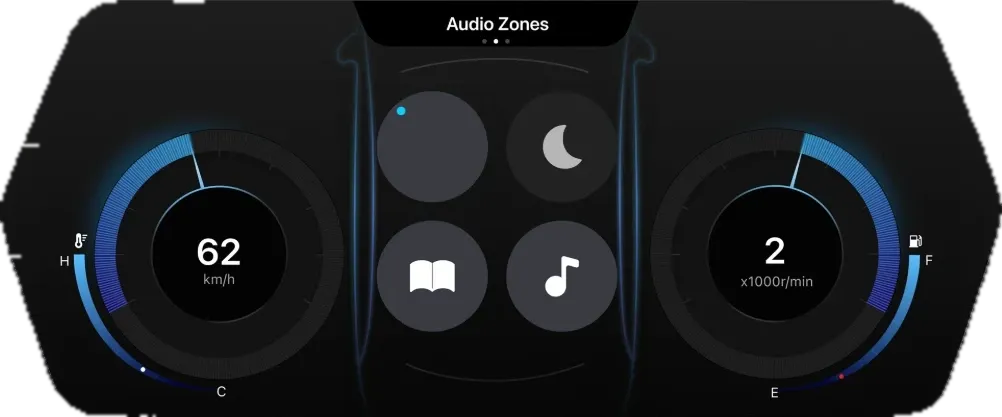
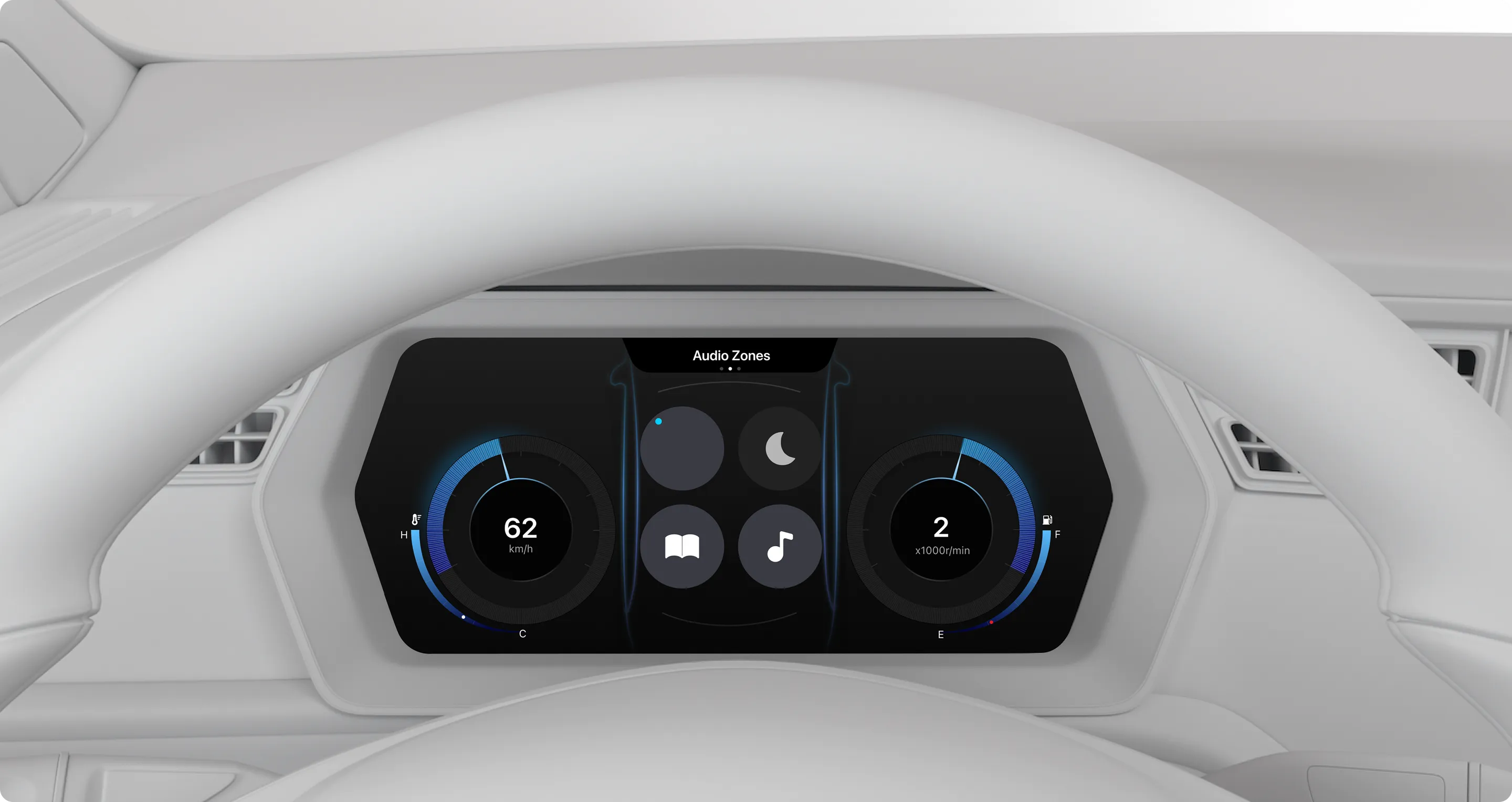
Driver dashboard

The system sits on the instrument cluster, between speed and RPM, where the driver already looks, and answers each action on the wheel. This is the prototype we tested: the driver could do all of this while driving, which is the first thing I would change.
Audio monitoring
Share/request media
Listen together with one or more passengers, and leave every shared zone with one click.

Admin control

Volume limit
Do not disturb
For passengers: a touch screen on the door armrest
Every passenger can share, request and turn on Do not disturb. A co-admin also gets the admin powers.

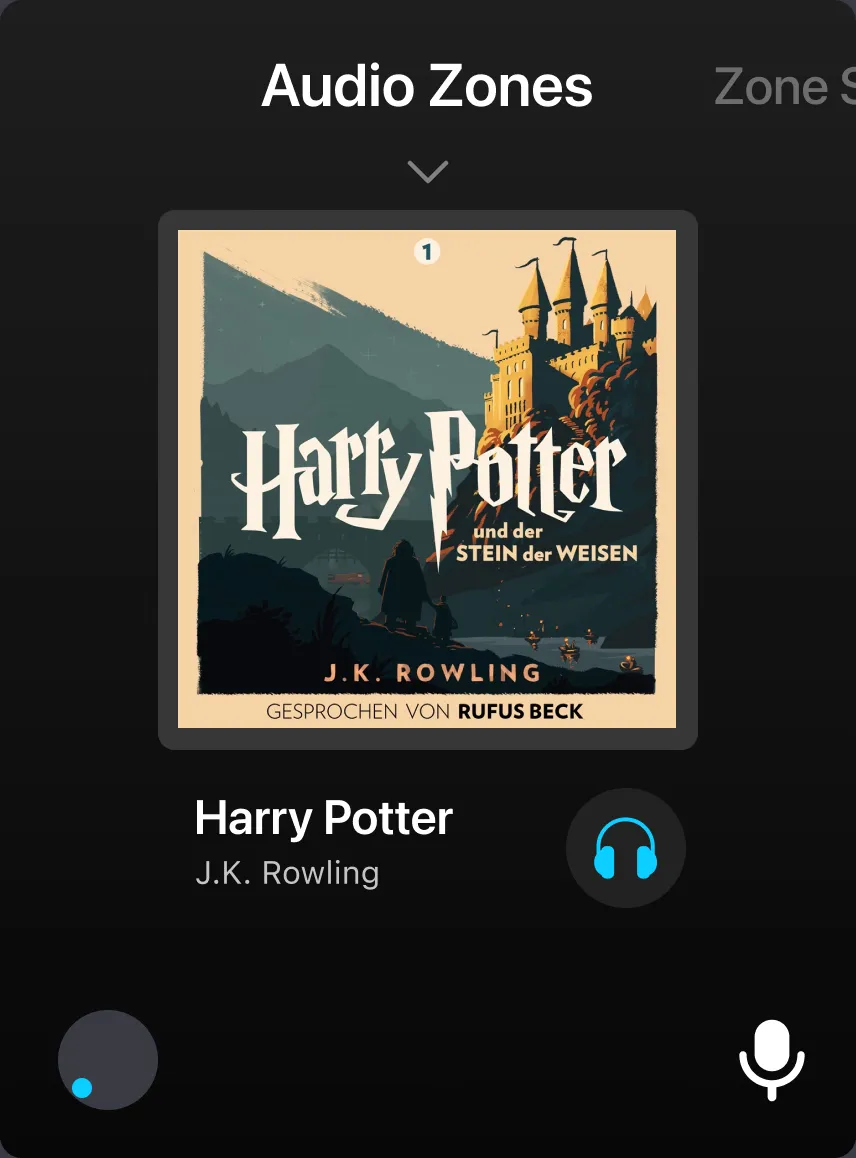
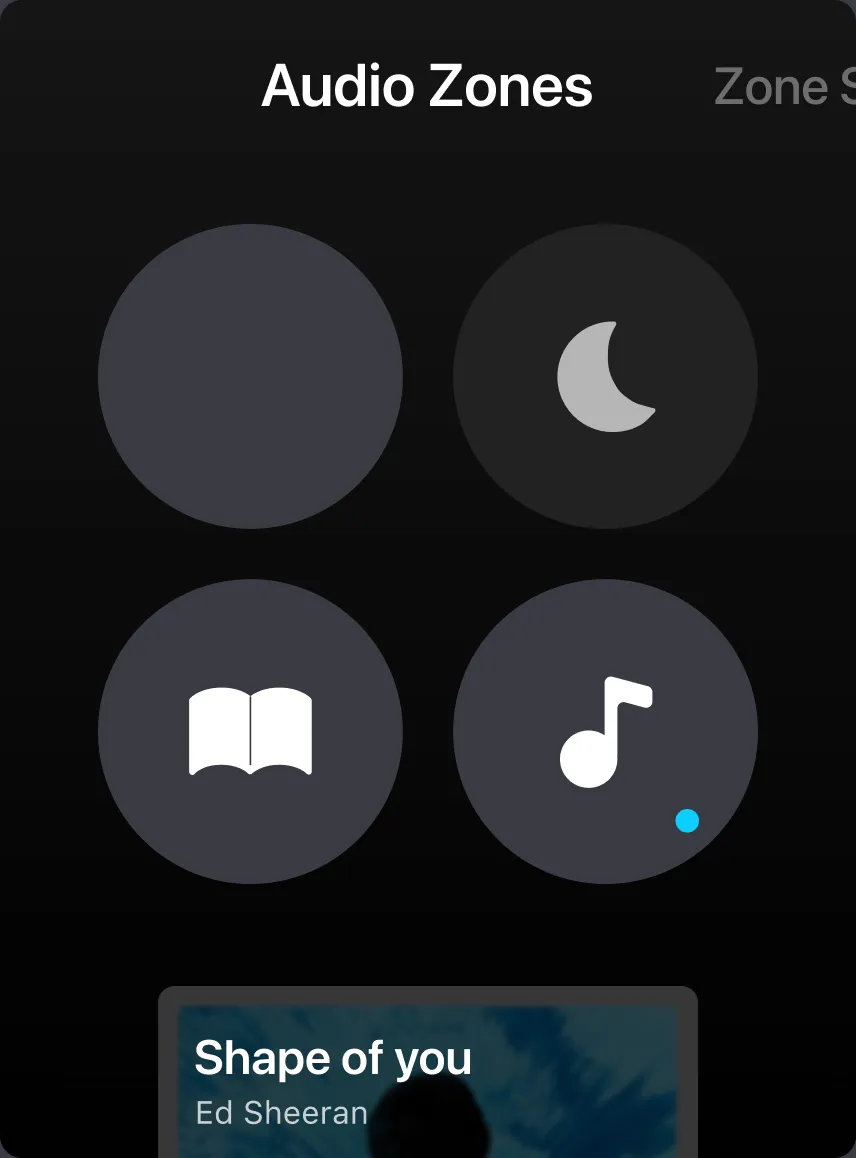 Audio zones
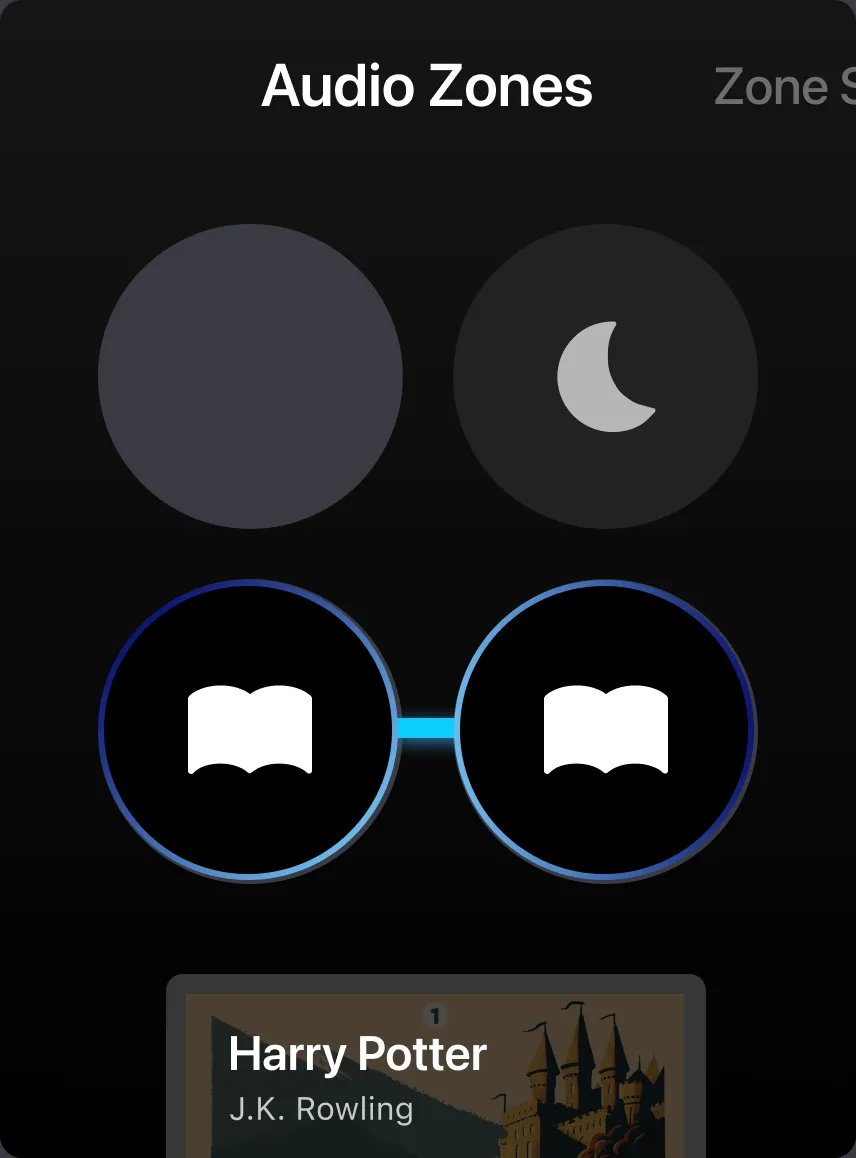 Listening together
 Now playing
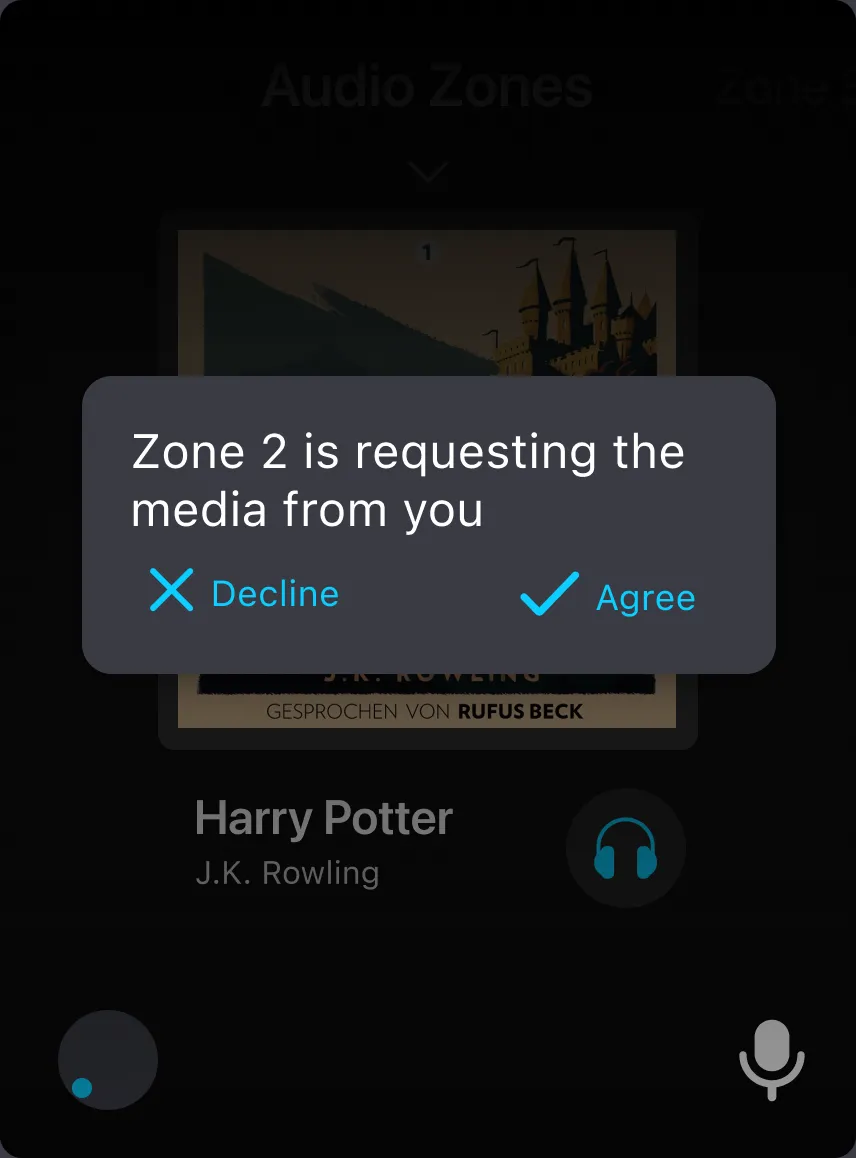 A share request
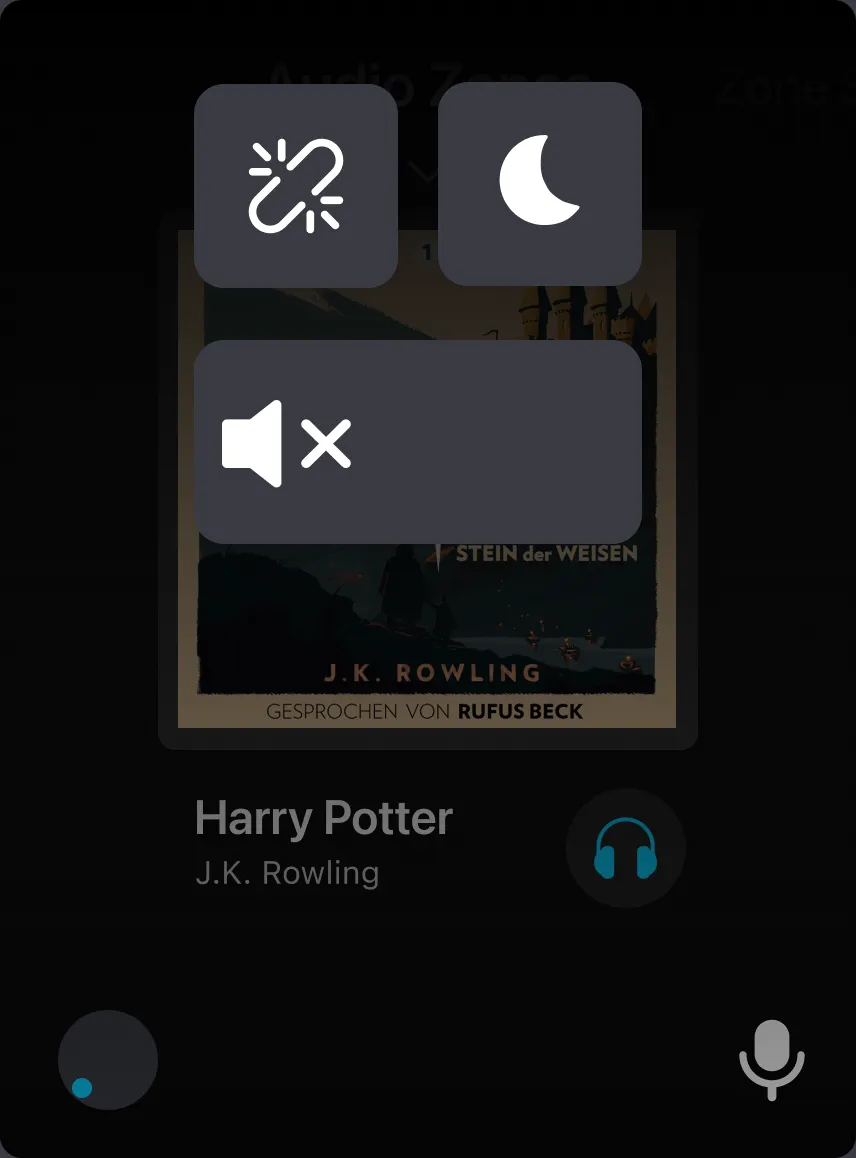 Quick controls
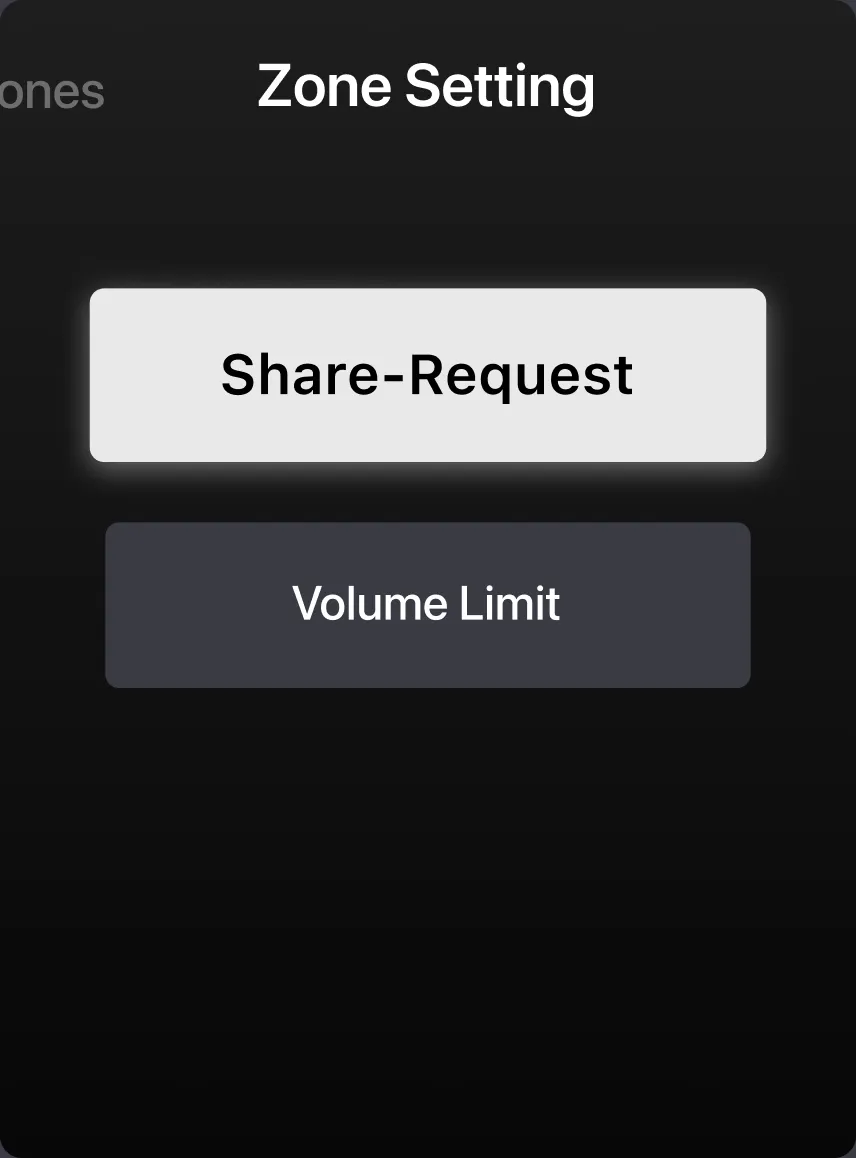 Zone setting
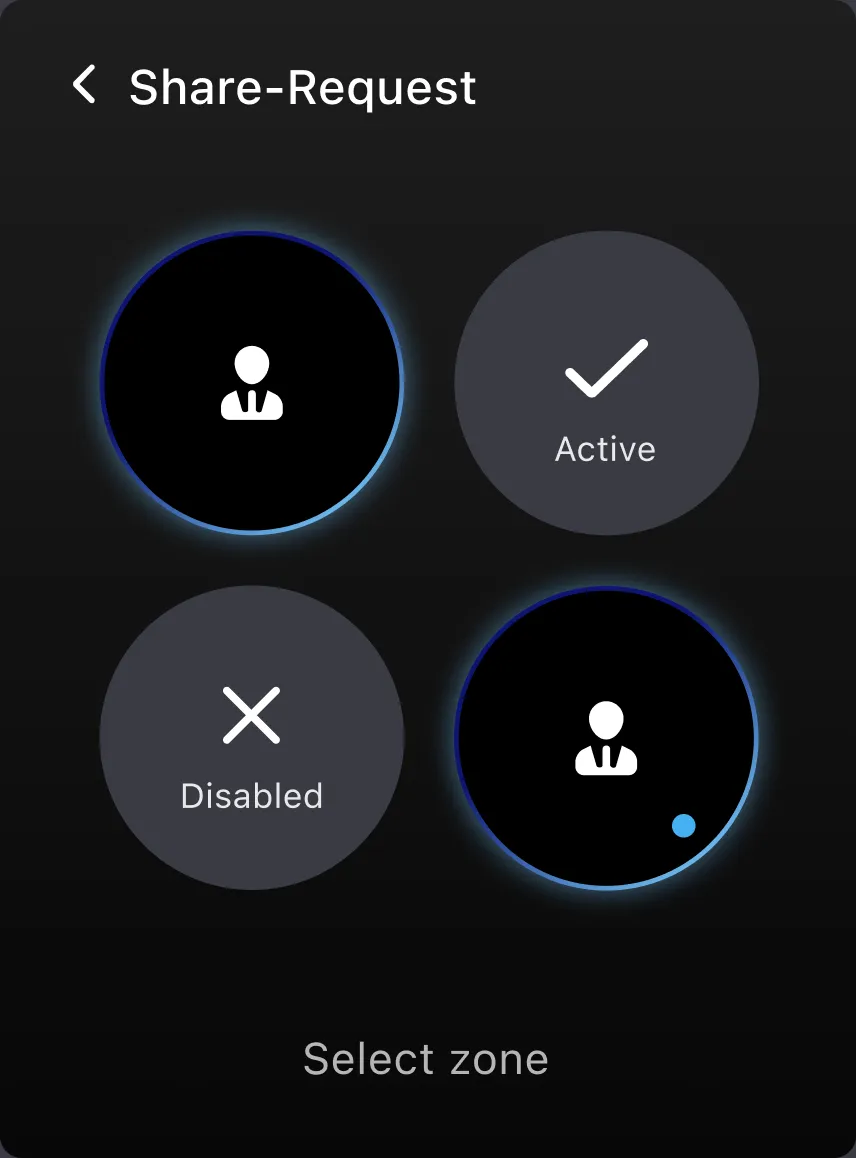 Share-request on / off
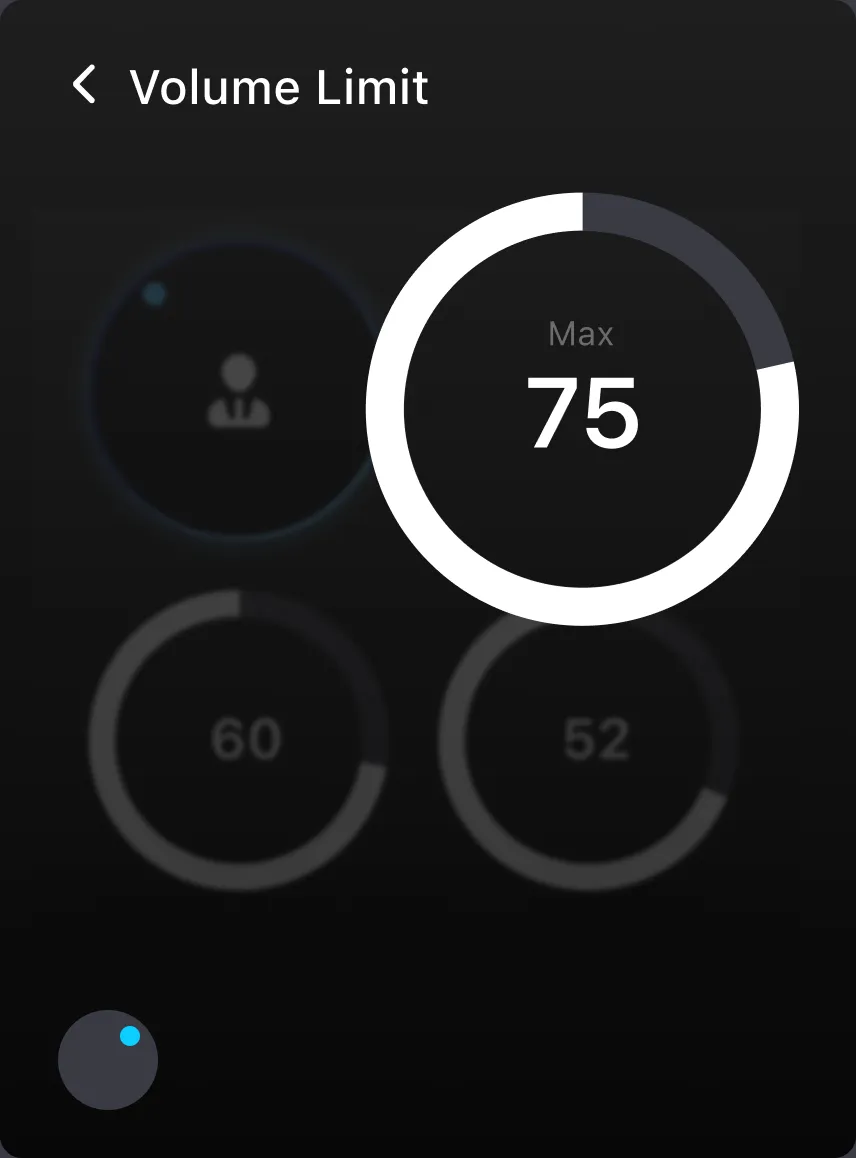 Volume limit
 Monitor a zone
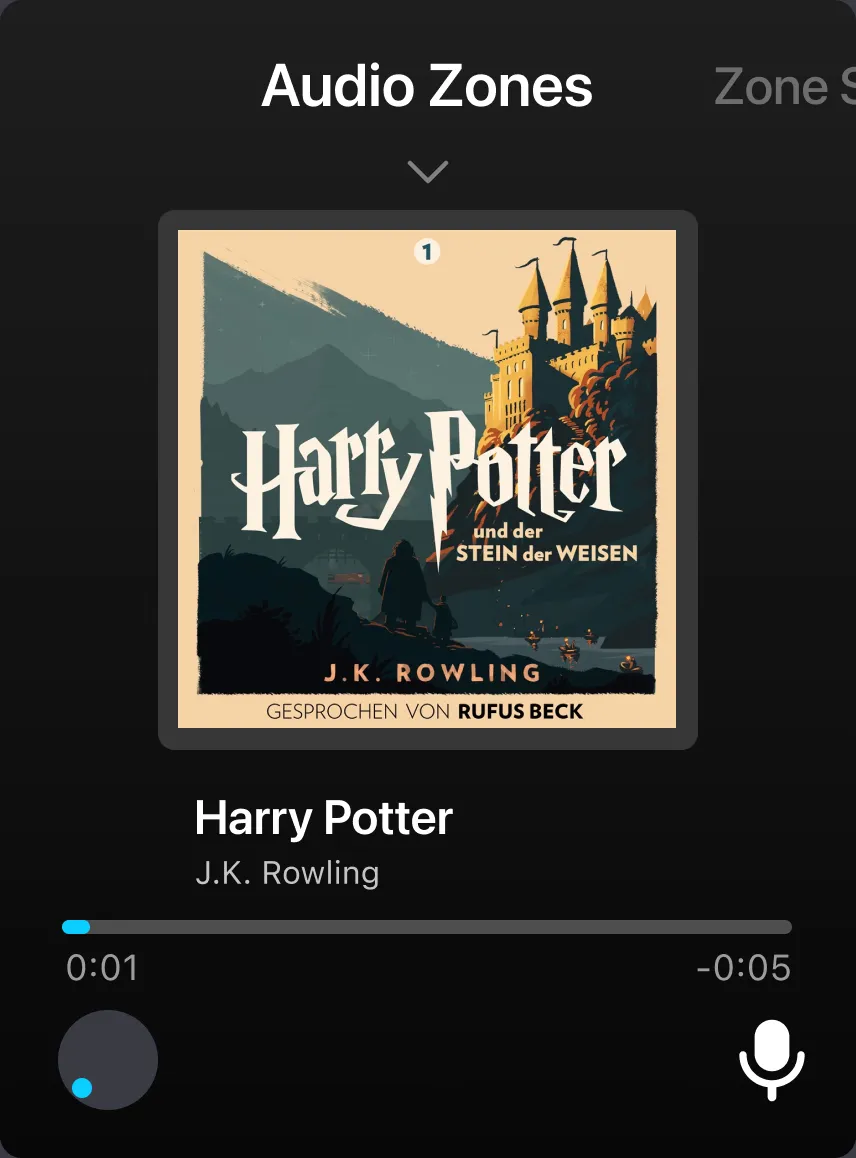 Listening in, 10 seconds
Visual language
High contrast for a glance at speed, one blue for focus, and larger type for screens an arm’s length away.
Type · SF Pro
- HeadlineDisplay · 64 · Semibold
- Body 1Display · 32 · Semibold
- Body 2Text · 28 · Medium
- Body 3Text · 24 · Regular
- Sub 1Text · 22 · Regular
- Sub 2Text · 18 · Regular
Colour
Blue gradient · #59BDFE → #04083F
- Bright blue#0BCEFF
- Dark grey#3A3B44
- Light grey#E9E9E9
Icons · filled, rounded
- Primary · 88
- Secondary · 54
- Tertiary · 32
Sans-serif type at in-car reading sizes, high contrast on black, and one hue, blue, so the driver takes in each screen at a glance.
Every participant failed the same task
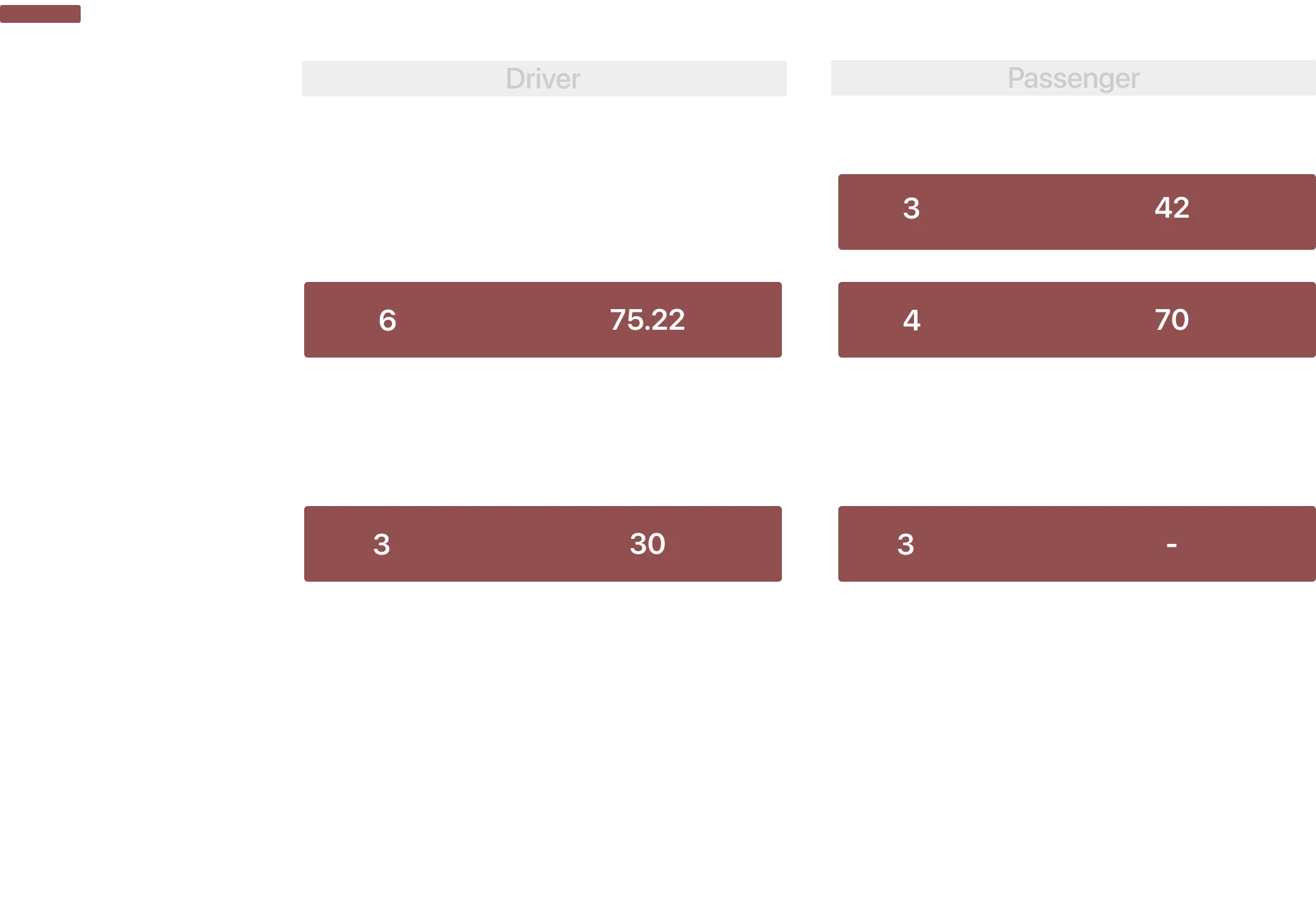
We tested harmony and intuitiveness with four participants, through a cognitive walkthrough and a usability test of 7 driver tasks and 6 passenger tasks. Our participants were classmates standing in for families.
SUS score, driver
SUS score, passenger
Harmony in the car
Four participants, so these numbers are directional, not proof.
Participants saw the value: sharing, disconnecting and admin control would cut interruptions and give each person freedom. How they felt while using it told a different story. They felt confused and overwhelmed, and that would cost the very harmony we were designing for. They liked what it was for; they struggled with how it worked.
Dragging to share didn’t match how people think
Every participant failed to share media with a passenger, and it took the longest of all the tasks. Dragging from one zone to another has to be learned; nobody expected it.
Monitoring felt like being watched
A participant playing the parent worried how kids would feel being monitored. A participant in the passenger test said he’d be “annoyed”, and wouldn’t monitor his own kid.
The driver wants a way out
The audio UI took the place of the fuel gauge, and one driver wanted to hide it when he wasn’t using it. In a snowstorm, he said, he’d want a kill switch: everything off, everyone quiet.
Gestures people already make
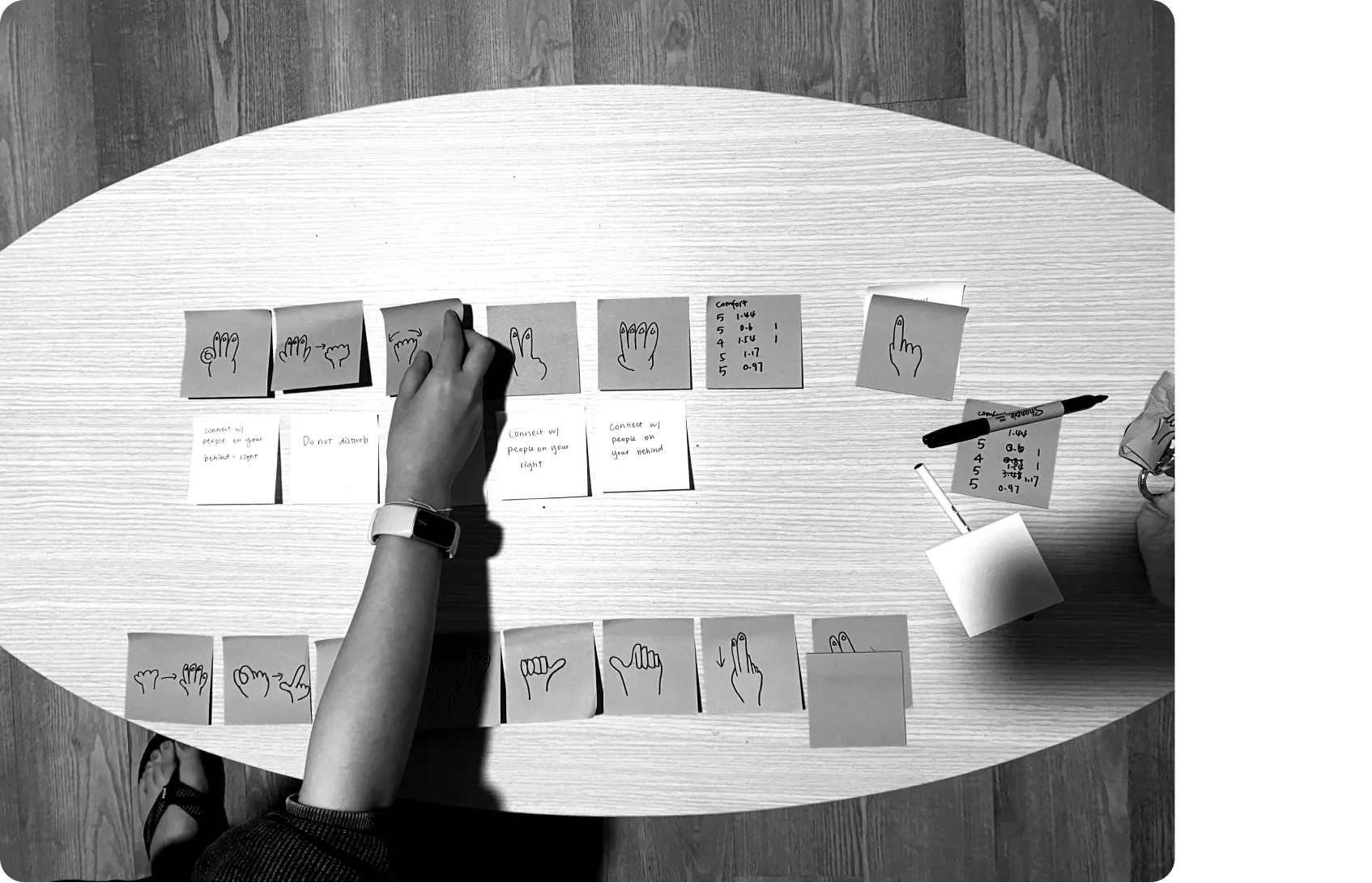
This is where the design ended. The failed task told us the interaction was wrong, not the people. So I ran a card-sorting study with 6 people to compare a set of hand gestures we offered. For each of five driver actions, participants picked the gesture that best fit how they would naturally behave, and rated how comfortable it was. Then I called out the actions in random order and timed their responses and errors.
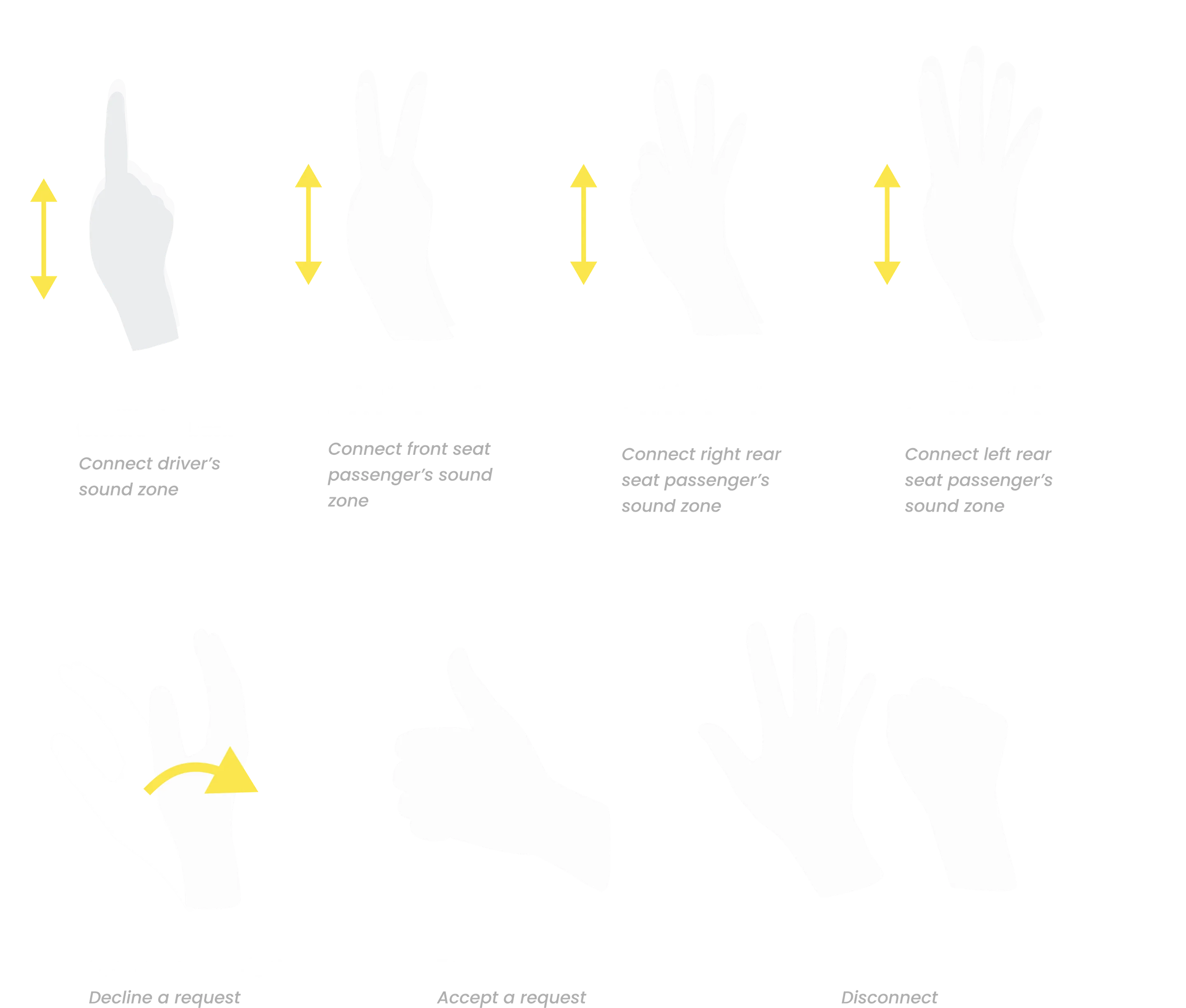
The guideline below takes the gestures that fit best: one to four fingers to pick a zone, a thumbs-up to accept, a wave to decline and a fist to disconnect. A cabin camera reads them, like BMW’s gesture control, so the driver’s hands stay near the wheel. They replace the drag on the trackpad; the buttons stay for everything else. Mid-air gestures give up the click our research valued, and we hadn’t yet designed how the car would confirm one. Counting seats on your fingers still has to be learned. Both are why this set needs testing in a car before anything else.
Next: a kill switch, and monitoring you can see
The other two findings point the same way. When the road demands it, one press on the wheel would turn every zone down and hide the audio UI. And monitoring would light a visible “listening” sign on the child’s screen, so it is never secret. The passenger’s share flow failed too, and needs the same rethink on the armrest.
What I would do differently
Test with real families, in a real car
Classmates in front of a laptop can tell us whether a task is learnable, not whether a family feels closer. The next test belongs on a road trip.
On the road, the driver should only answer
In the prototype we tested, the driver could monitor, share and set limits while driving. I would cut that down to accepting or declining a share and leaving a shared zone, and hand the rest to the co-admin in the passenger seat.
Put safety first, not last
Testing showed the driver needed a kill switch, and that the dashboard asked too much of someone driving. I would start from the driving: hide the UI while it isn’t needed, and turn everything down when the road demands it.
Design for the teenager at the wheel
One family we met had a 16-year-old. In our design the driver is always the admin, so a teenager driving would control their parents’ zones. Admin should follow a person’s profile, not the seat.
Draw the line on monitoring earlier
Ten seconds was our answer for parents; the test showed it wasn’t enough for the children it was aimed at. A feature that one family member can use on another needs its ethical limits set at the start, with the children in the room.